![default light-1.png]](https://support.numarqe.app/hs-fs/hubfs/default%20light-1.png?height=40&name=default%20light-1.png)
⚠️ IMPORTANT: To pay your statement, you will need to open the NUMARQE app on your desktop or mobile device using your mobile browser (i.e. Safari or Chrome). Please also use your generated reference number in your payment . ⚠️
Step 1 - Log into your Numarqe app
Step 2 - Follow the instructions in this tutorial video.
If you have trouble viewing the video, see our step by step guide below:
Step 1 - Log into your Numarqe app
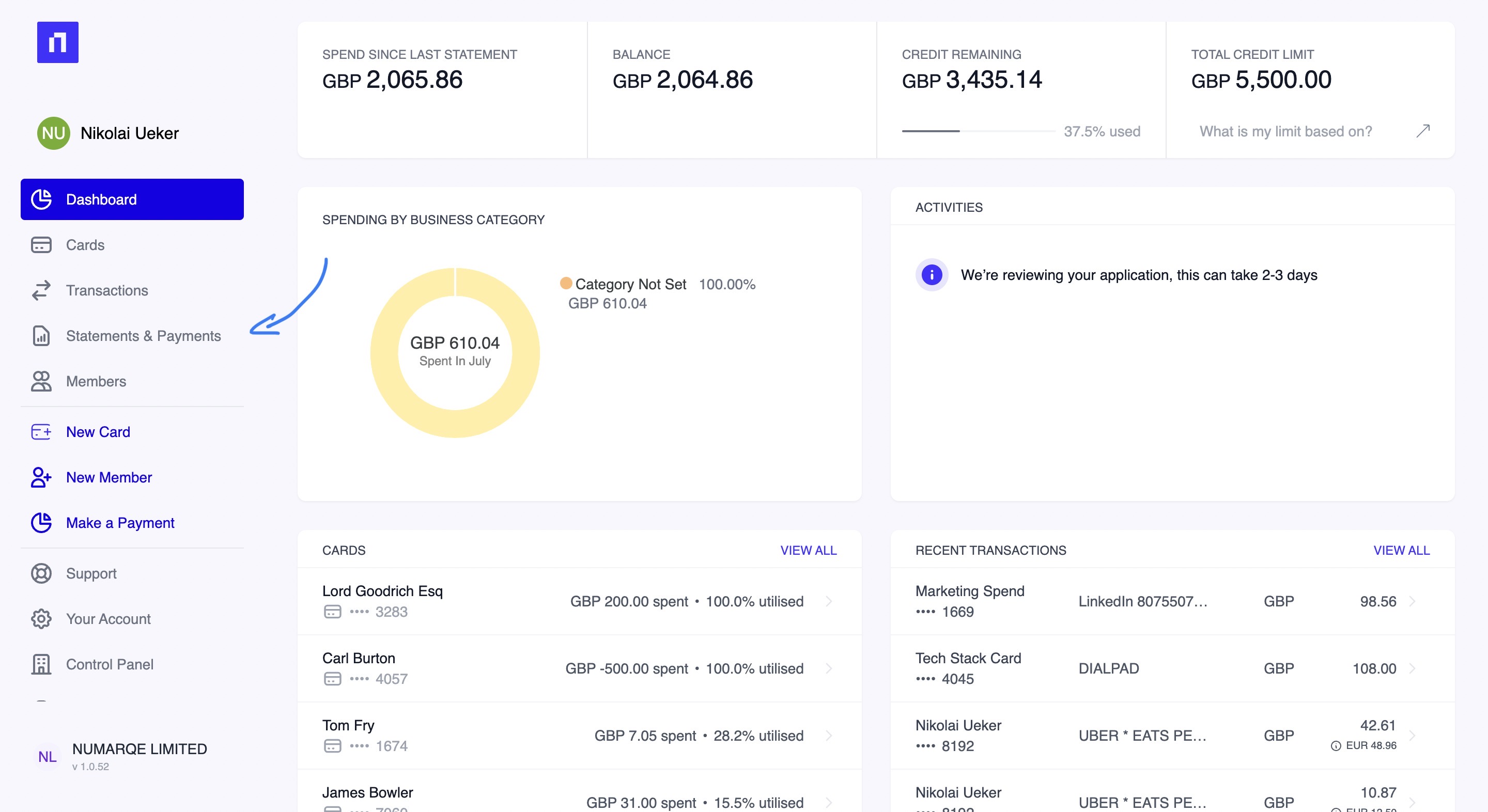
Step 2 - Click on your Statements and Payments dashboard
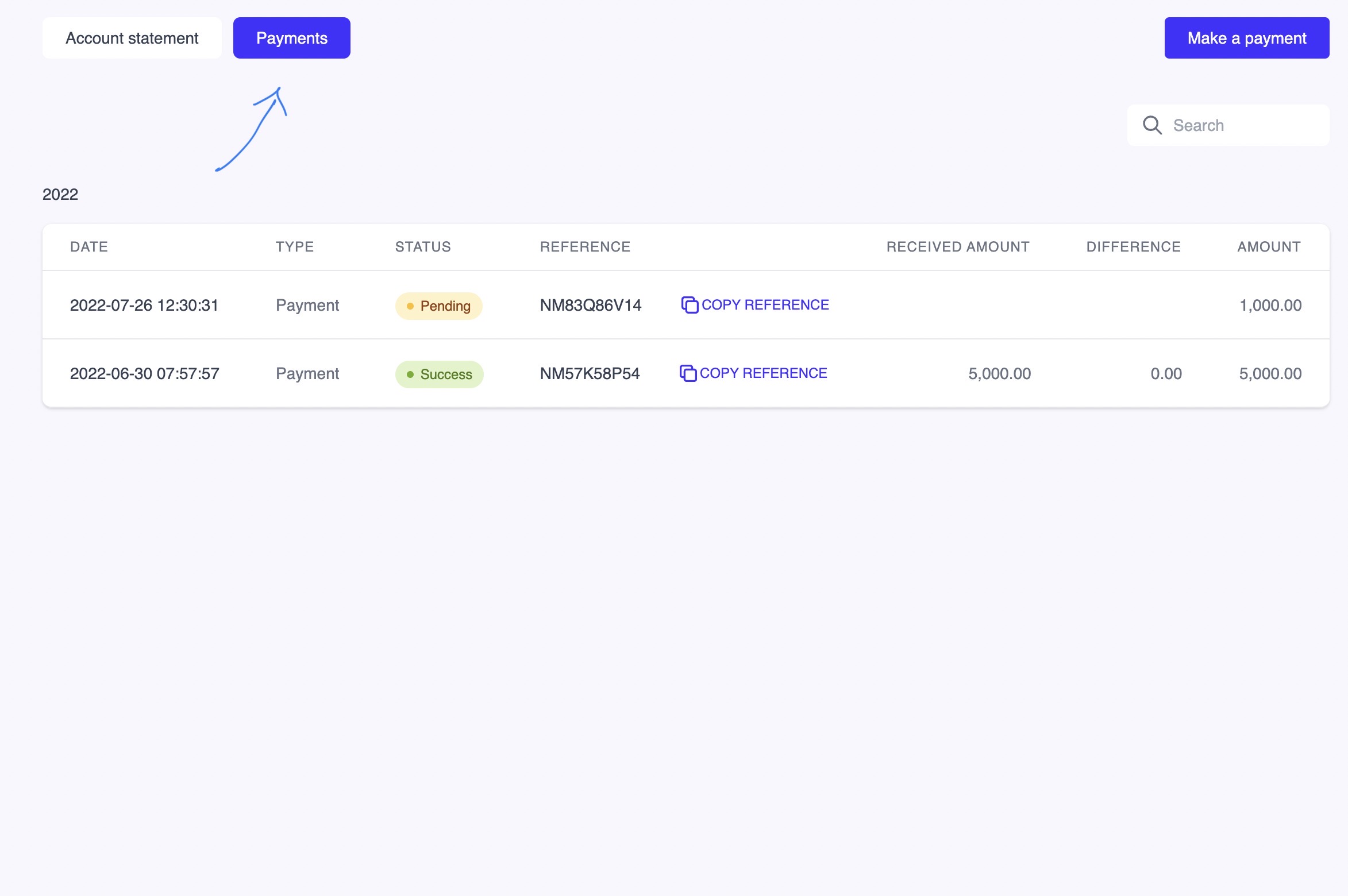
Step 3 - Click on payments at the top of your dashboard
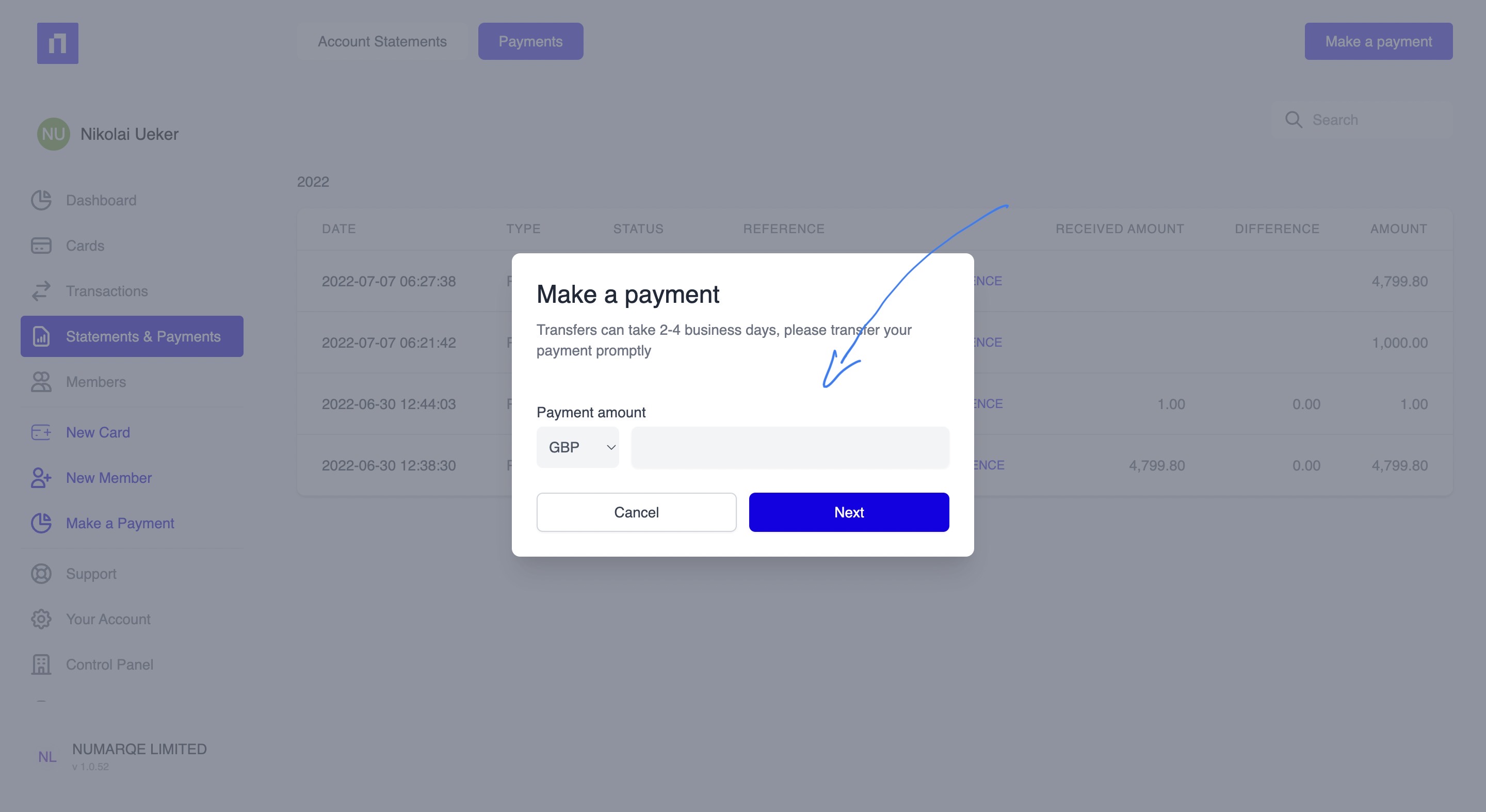
Step 4 - Then press Make a payment
Step 5 - Type in how much you would like to pay
Step 6 - Press Next and then press Finish. ⚠️ IMPORTANT: Don't forget to copy the reference number for and insert as payment reference in your bank transfer! That way we can quickly and easily reconcile your outstanding balance that is due ⚠️
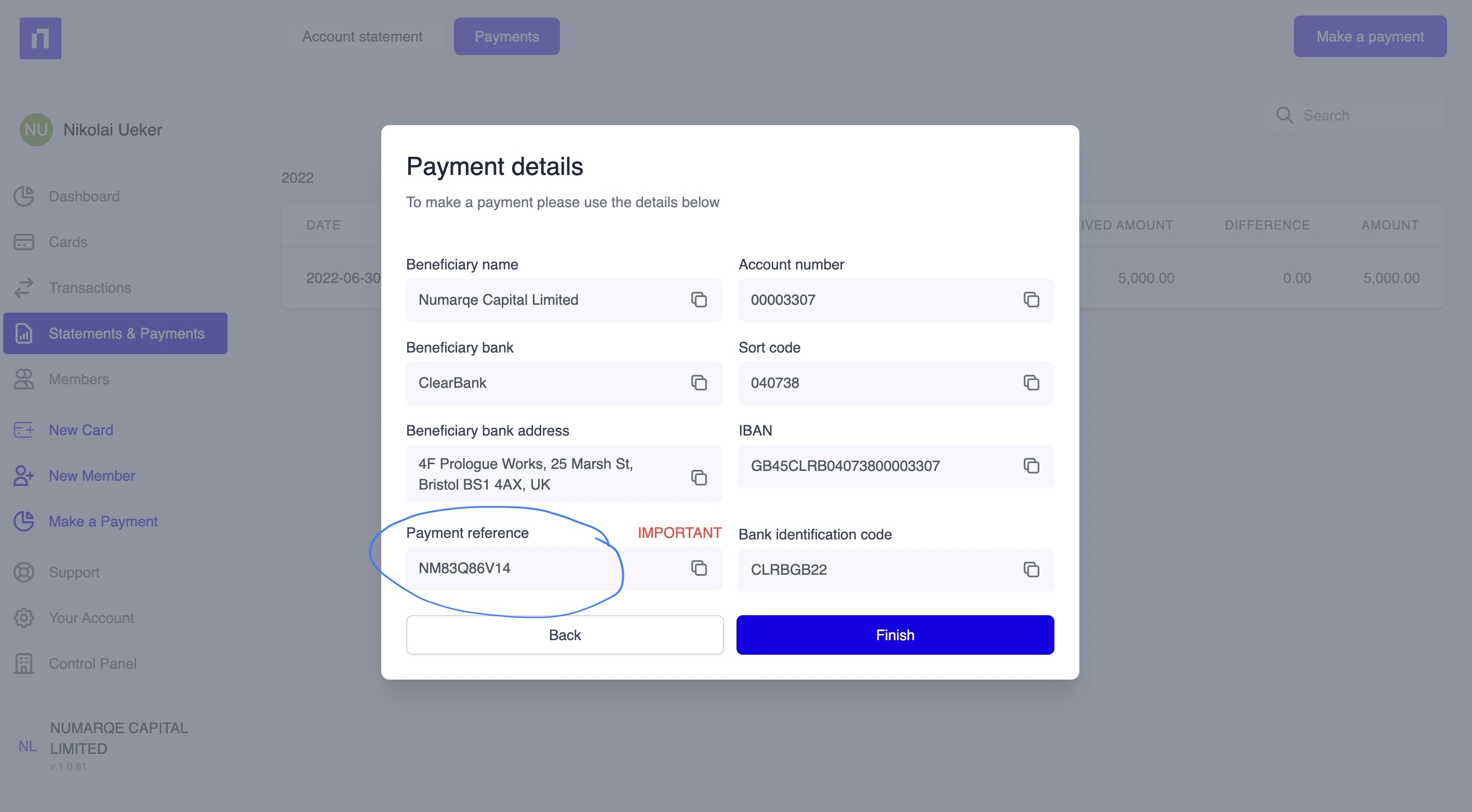
⚠️ IMPORTANT: Payment reference details to settle your outstanding statement are below⚠️:
Payment details:
Beneficiary name: Numarqe Capital Limited
Account number: 00003307
Beneficiary bank: ClearBank
Sort code: 04-07-38
Beneficiary bank address: 4th Floor, Prologue Works, 25 Marsh St, Bristol BS1 4AX, UK
IBAN: GB45CLRB04073800003307
Bank identification code (BIC): CLRBGB22
More questions? Feel free to message us. 👋