![default light-1.png]](https://support.numarqe.app/hs-fs/hubfs/default%20light-1.png?height=40&name=default%20light-1.png)
Part 1:
⚠️ IMPORTANT: You will need to be in front of your NUMARQE desktop app and you will need to have your mobile phone next to you. ⚠️
Desktop Video:
Part 2:
⚠️ IMPORTANT: The second part of setting up apple pay requires you to switch over to your mobile phone. ⚠️
Step 1 - Open the Apple Wallet application  on your mobile phone.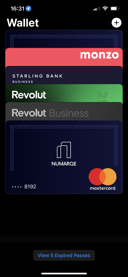
Step 2 - Once you have opened the application, press the plus button in the top right hand corner.
Step 3 - Tap plus button in the top right hand corner in Apple Wallet app and follow the instructions.
Or watch the how to video below!
Mobile Phone Video:
⚠️ Please note that card details have been removed for security purposes. ⚠️
Once added, you will see the label Added to Apple Wallet. Your NUMARQE card will then be ready to use with Apple Pay!
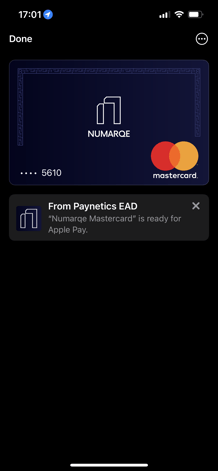
Once added, you will see the label Added to Apple Wallet. Your NUMARQE card will then be ready to use with Apple Pay!
More questions? Feel free to message us. 👋